
A WhatsApp sports equipment shop in Lebanon runs smoother when every product is grouped by sport and listed with its sizes. Customers find the right gear faster, and you spend less time asking which size they need.
How to Organize Products by Sport
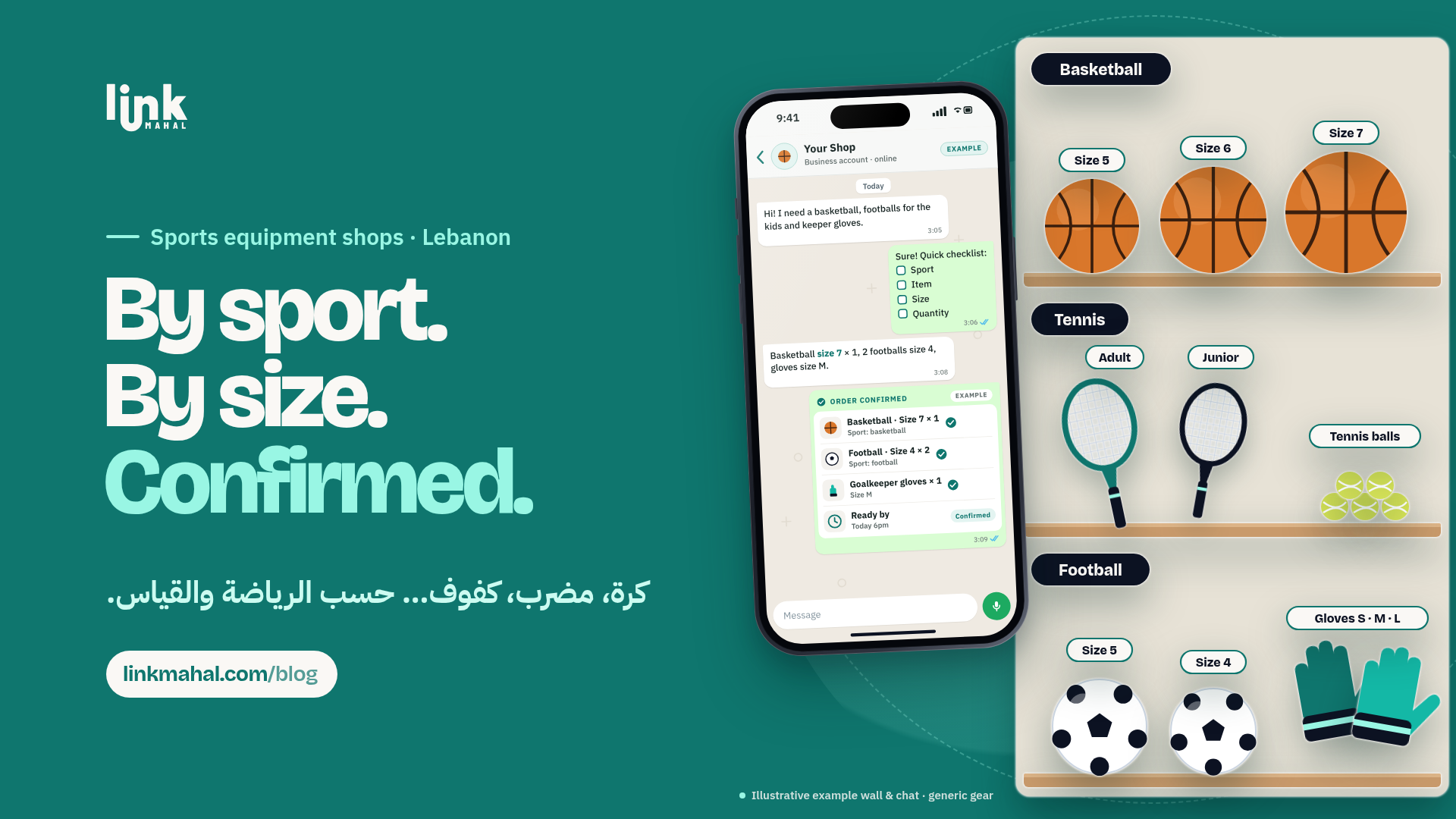
Grouping products by sport allows customers to quickly find what they need. For example, if you stock basketballs, tennis rackets and goalkeeper gloves, create a separate category for each sport on your online store. This not only helps in organizing stock but also in providing clear options to customers.
Customers can open your store link from WhatsApp and see what is available at a glance. Here’s how to set up your product categories:
- Basketball: Include options for size and brand.
- Tennis: Offer rackets of various sizes and strings.
- Football: List balls and goalkeeper gloves by size.
With this structure, customers can see what fits their sport before they send a message.
Utilizing Size and Availability Information
Size is crucial for sports equipment. Whether it's a basketball or a pair of goalkeeper gloves, providing size options upfront helps avoid confusion. Keep each listing up to date with the sizes you carry and mark items as sold out as soon as they run out.
A hypothetical stock view might look like this:
- Basketballs: Size 7 - In Stock
- Tennis Rackets: 26-inch - Out of Stock
- Goalkeeper Gloves: Small, Medium - In Stock
When stock and sizes are visible, customers ask fewer questions and order the right item the first time.
Creating a WhatsApp Order Checklist
A short order checklist helps you get every detail in the first message. When a customer messages you to place an order, guide them to provide the following information:
- Sport: Specify the category (e.g., basketball, tennis).
- Item: Indicate the specific product (e.g., size 7 basketball).
- Size: Confirm the size needed.
- Quantity: Mention how many they want.
A hypothetical example: a customer sends "Basketball, Size 7, Quantity 2." With the sport, item, size and quantity in one message, you can check stock before you confirm.
Confirming Orders Clearly
Once you receive an order, it’s vital to confirm it promptly and clearly. A single message that summarizes the order helps eliminate misunderstandings. A hypothetical reply:
"Order Confirmed: 2 Basketballs, Size 7. Ready by tomorrow at 4 PM." One message with the item, size, quantity and ready-by time leaves nothing to guess.
A clear timeline also sets expectations from the start.
Sharing Readiness and Preparation Times
Letting customers know when their orders will be ready is crucial. If you can prepare orders quickly, state a specific time frame. For instance, if you can have an order ready in 24 hours, communicate that clearly: "Your items will be ready by tomorrow afternoon." If an item needs to be ordered in, say so early and give a realistic date.
Conclusion
By organizing products by sport, clearly stating sizes and stock availability, and using a straightforward checklist for orders, Lebanese sports equipment shops can take clearer WhatsApp orders with fewer wrong sizes and less back-and-forth.
Set Up Sport and Size Categories on Link Mahal
With Link Mahal, you can create a category for each sport on your own online store, list every item with its sizes, mark sold-out gear, and receive orders on WhatsApp with the item, size and quantity already filled in. Start with the free Starter plan (up to 10 products) and move to Pro or Enterprise as your range grows. Create your store.