
Lebanese sweets shops can effectively take tray and box orders by weight on WhatsApp, simplifying the customer experience and enhancing order accuracy. By clearly listing sweets by type and filling options, these shops can cater to specific preferences while ensuring smooth communication.
How to List Sweets for WhatsApp Orders
When setting up your sweets shop for WhatsApp orders, it’s crucial to categorize your offerings clearly. Here’s a practical approach:
- Types of Sweets: Include popular options like baklava, maamoul, knefeh, and ashta sweets.
- Fillings: Clearly specify fillings such as pistachio, walnut, cashew, or ashta. This helps customers make quick decisions.
- Box or Tray Sizes: Offer various sizes to suit different needs, from small family trays to larger party boxes.
For example, your WhatsApp menu might look like this:
- Baklava: Pistachio, Walnut - Available in Small, Medium, Large
- Maamoul: Date, Walnut - Available in Small, Medium, Large
- Knefeh: Cheese, Cream - Available in Small, Medium, Large
Creating a WhatsApp Order Checklist
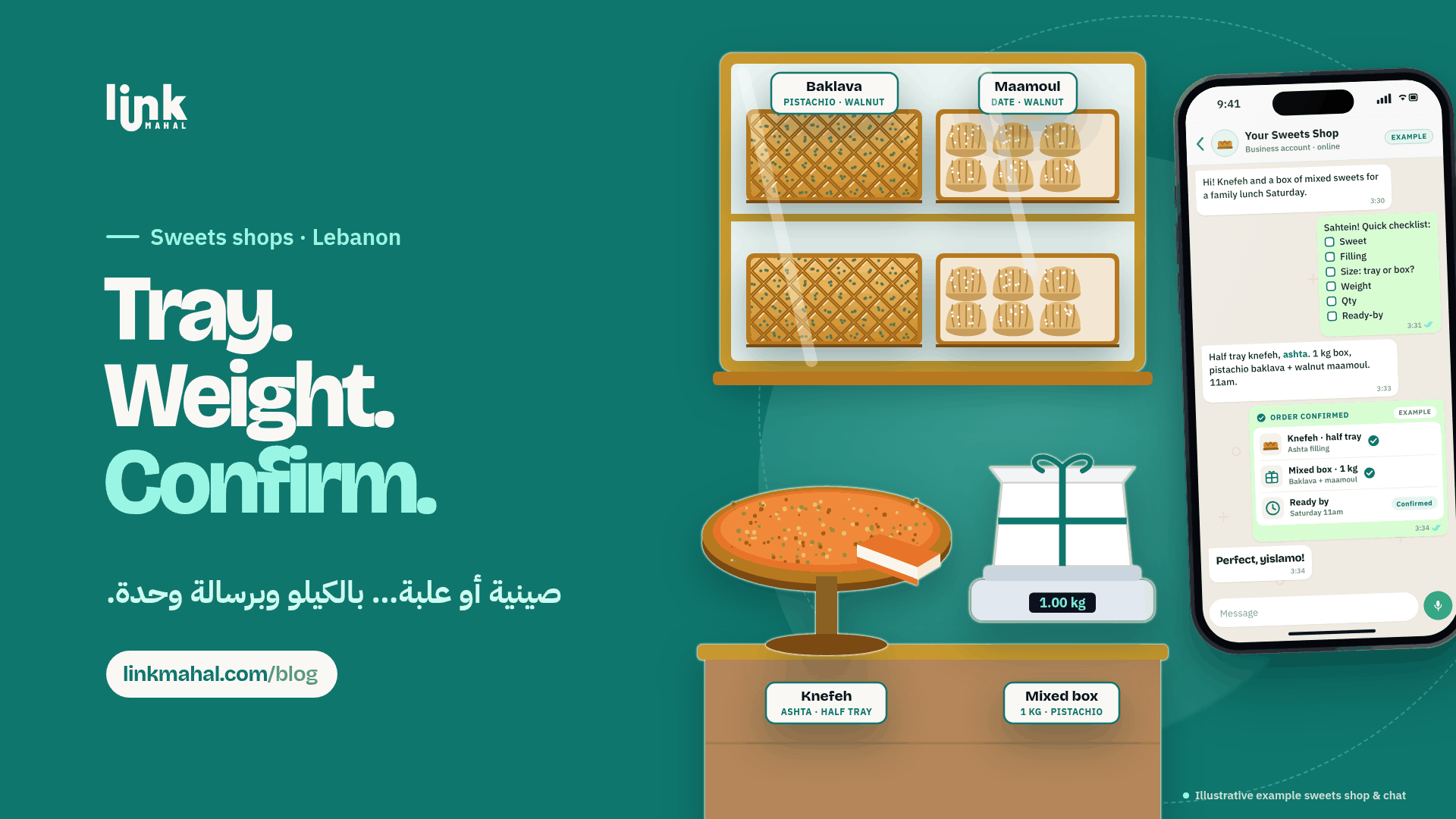
To streamline the ordering process, a short checklist can be incredibly helpful. Here’s a simple template your customers can follow when ordering:
- Sweet Type: (e.g., Baklava)
- Filling: (e.g., Pistachio)
- Box or Tray Size: (e.g., Medium)
- Weight: (e.g., 1 kg)
- Quantity: (e.g., 2 trays)
- Ready-By Day: (e.g., Saturday)
This checklist allows customers to provide all necessary details in one message, reducing back-and-forth communication.
Confirming Orders with Clarity
Once you receive an order, it's essential to confirm it clearly. A concise confirmation message could look like this (example):
“Thank you for your order! You’ve requested 2 trays of Baklava with Pistachio filling, weighing 1 kg each, ready by Saturday. Please confirm if everything is correct.”
This method keeps customers informed and reassured about their order details, minimizing the chances of mistakes.
Best Practices for WhatsApp Sweets Shops
Here are some best practices for managing your WhatsApp sweets shop:
- Be Responsive: Quick replies build trust and keep orders moving.
- Keep It Simple: Use straightforward language and avoid jargon to ensure clarity.
- Stay Organized: Group orders based on the day they are ready to avoid confusion.
- Note Special Requests: Write any custom filling, size or message on the box into the order so the kitchen sees it before packing.
By implementing these practices, you can enhance customer satisfaction and streamline the ordering process.
Final Thoughts on Selling Sweets Online in Lebanon
Setting up a WhatsApp sweets shop in Lebanon requires an understanding of local tastes and communication preferences. By clearly listing your products, providing an efficient ordering checklist, and confirming details promptly, you can create a smooth buying experience for your customers.
If you’re ready to take your sweets shop online, consider creating a store with Link Mahal. It’s designed specifically for Lebanon's unique selling landscape, making it easier for you to sell online.
Start your journey by registering at Link Mahal today.