
Lebanese phone accessory shops get clearer WhatsApp orders when every case, screen protector and charger is listed by phone model. Customers find the right fit faster, and you spend less time asking which phone they have.
How to List Phone Accessories by Model on WhatsApp
To effectively manage orders, it’s crucial to organize your phone accessories based on different models. Start by creating a comprehensive list of available items such as cases, screen protectors, chargers, and cables, categorized by phone brand and model. This gives customers a straightforward way to browse and select what they need.
Maintaining Stock Visibility
Make sure to keep your stock updated regularly. If a particular model is out of stock, mark it clearly on your Link Mahal store so customers see it before they message. When someone asks about a model you don’t have, reply early and offer an option that fits. A hypothetical reply: “Unfortunately, the iPhone 13 case is currently out of stock. Would you like to know about other available models?” This keeps customers informed and helps maintain trust.
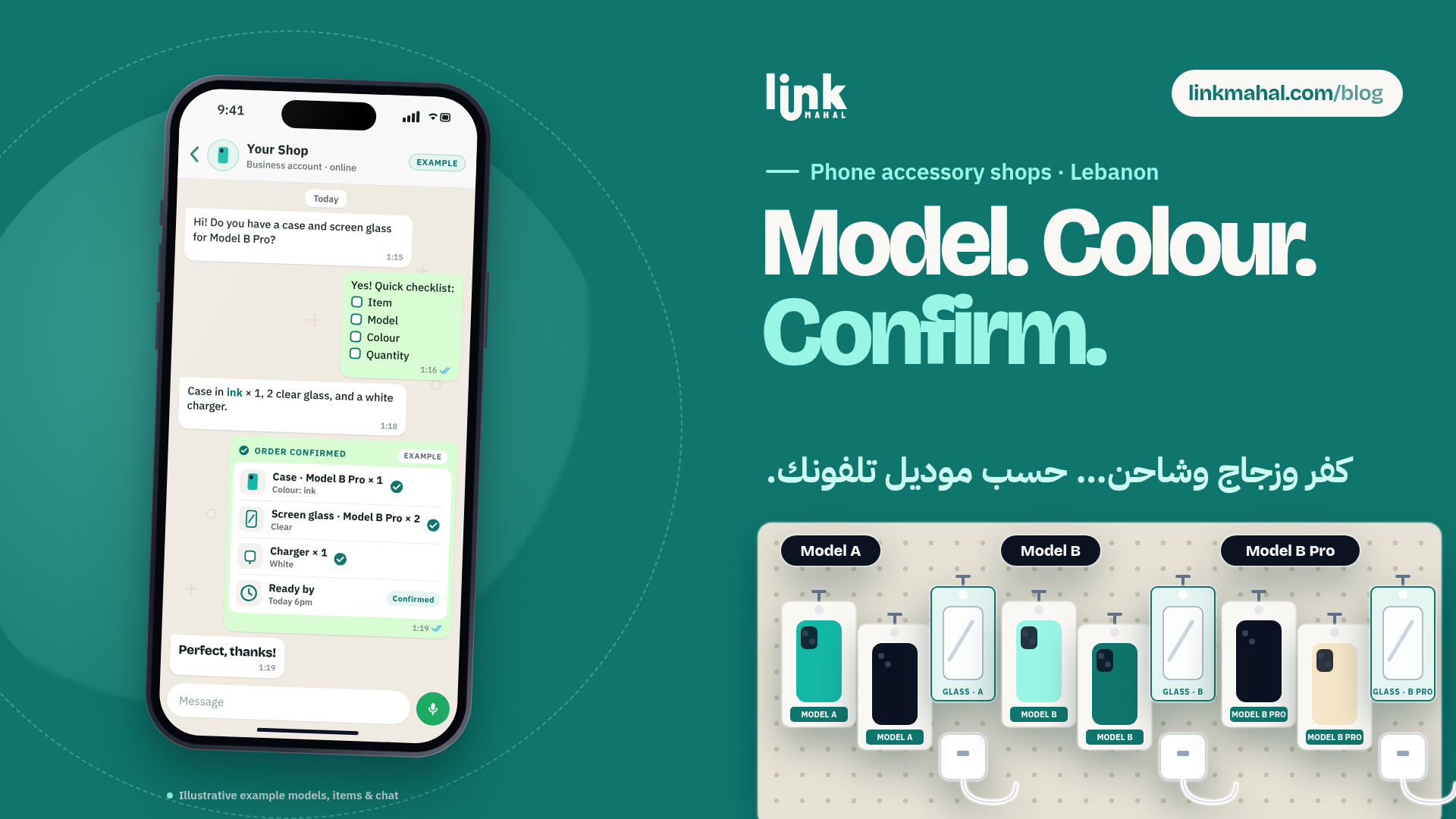
Creating a WhatsApp Order Checklist
To streamline the ordering process, implement a short checklist for customers to fill out. This should include:
- Item: Specify the type of accessory (case, charger, etc.)
- Phone Model: Indicate the specific phone model (e.g., Samsung Galaxy S21)
- Color: Choose the desired color of the accessory
- Quantity: State how many items are needed
This checklist can be sent via WhatsApp, allowing customers to quickly place orders without confusion.
Confirming Orders Efficiently
Once you receive the checklist from the customer, confirm the order in one clear message. A hypothetical example: “Thank you for your order! You have chosen 2 black cases for the Samsung Galaxy S21. Your order will be ready by 5 PM today.” One message with the item, model, colour, quantity and ready-by time leaves nothing to guess.
Communicating Ready-By Times
Providing a clear “ready-by” time is essential for managing customer expectations. It cuts down on follow-up messages asking whether the order is ready. Keep the times realistic for how busy your shop is, and send a quick update if anything changes.
Why Ordering by Phone Model Works on WhatsApp
A phone accessory only works if it fits the exact model, so most mix-ups come from a missing or wrong model name. Asking for the model up front, in the same order message as the item and colour, means you can check fit before you confirm, and customers can ask a quick question in the same chat.
Moreover, WhatsApp supports voice notes, which can be an efficient way for customers to communicate their needs without typing. Encourage your customers to use voice notes when placing orders to speed up the process.
By implementing these practices, Lebanese phone accessory shops can create a more structured and efficient workflow for taking orders. Fewer wrong-fit orders means fewer back-and-forth messages for you and your customers.
With Link Mahal, you can list each accessory by phone brand and model on your own store, and orders arrive on WhatsApp with the details already filled in.
Ready to start selling online? Create your Link Mahal store today: Register here.