
Sooner or later a customer will message your shop asking to swap a size or send something back. When your rules are clear and your replies are kind, these chats stay short and your stock count stays right. This WhatsApp store returns Lebanon guide covers the practical basics: a clear return window, simple item conditions, polite chat replies, when to accept an exchange and how to update your stock afterwards.
Why a Clear Returns Policy Matters on WhatsApp
On WhatsApp, every return starts as a chat. If your policy is vague, each request turns into a long back-and-forth about what is allowed. A short, written policy lets you answer in one message and treat every customer the same way.
Set Your Return Window and Item Conditions
Keep your policy short enough to fit in a single chat message:
- A clear window: choose a fixed number of days, for example 7 days, and count it the same way for every order.
- Item condition: state what you accept, such as unused items with the original tags still on.
- What you do not take back: list any exceptions plainly, for example items made to order.
- Refunds: decide your own policy for refunds and state it in the same message.
Hypothetical example: "Exchanges within 7 days. Items must be unused with tags on."
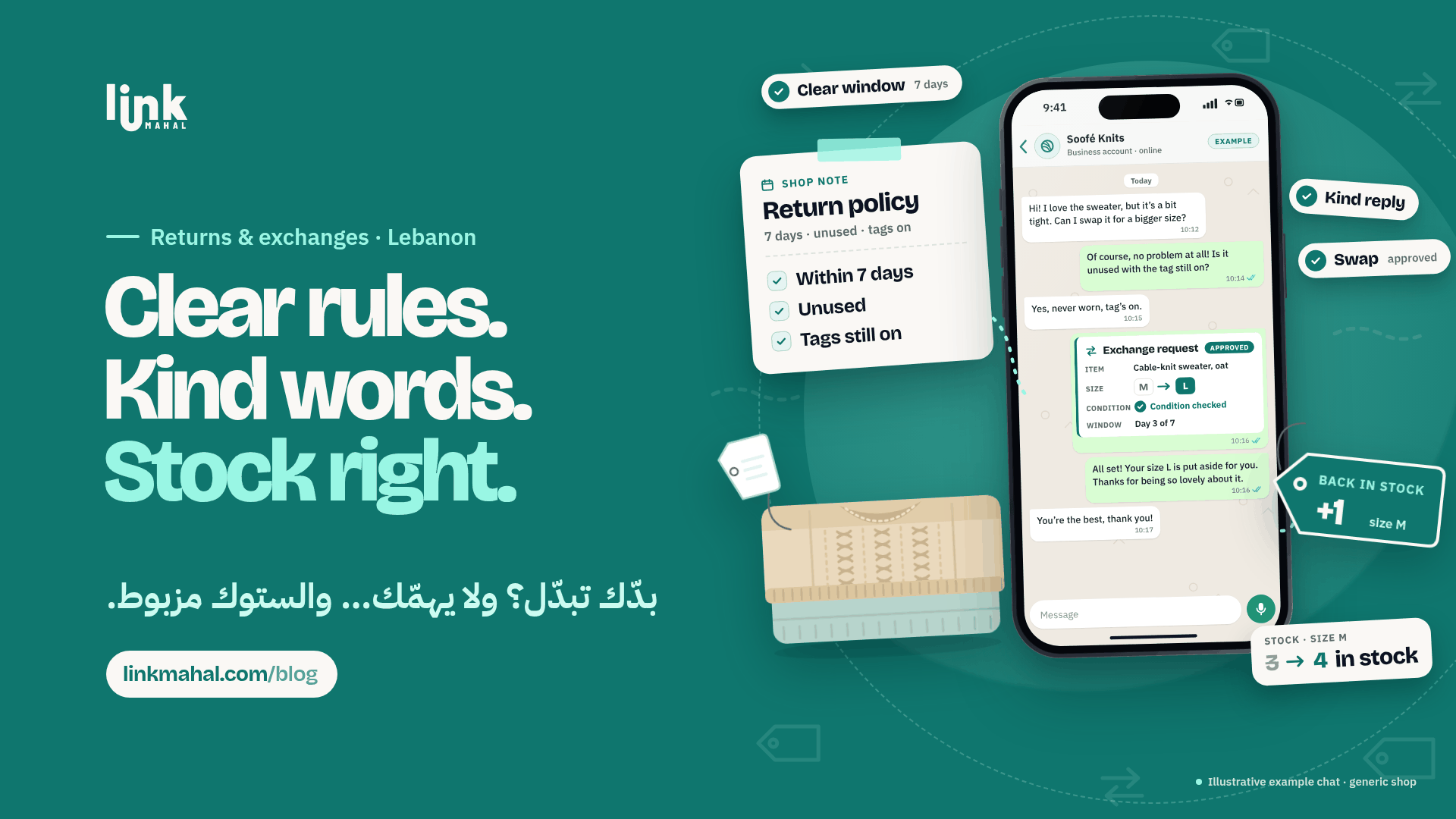
Reply to Return Requests Politely
When a customer asks for a return or a swap, reply quickly and keep the tone warm. Here is a short script you can adapt:
"Thanks for letting us know! Could you tell me in the chat what the item is, its condition, and whether the tags are still on? Then I'll check what we can do for you."
Asking the customer to describe the condition in the chat keeps the request in one place and gives you what you need to check it against your policy.
When to Accept an Exchange
Exchanges are usually the simplest outcome for both sides. Common cases to accept within your window:
- Wrong size or colour: the customer wants the same item in a different size or colour.
- Wrong item: the customer received something other than what they ordered.
- A fault: the item is damaged or does not work as described.
If the requested size or colour is not available, tell the customer straight away and suggest the closest alternative you have. Some shops also offer store credit for a later order; if you do, explain how it works in your policy.
Keep Your Stock Right After a Return
A returned item is only useful if your stock count knows about it:
- Check the item against your conditions as soon as it is back in the shop.
- Add it back to stock right away if it can be sold again, and update the size or colour it belongs to.
- Set aside anything faulty so it is never sold by mistake.
- Note the reason for the return, such as size or fault, so you can spot items that often cause swaps.
Summarize Every Return in One Message
Before you close the chat, send one short summary so nothing is misunderstood: the item, the reason, what was agreed (for example, size M swapped for size L) and the date. Keep the same format for every return, and use a simple checklist so anyone helping in the shop handles requests the same way.
Show Your Policy Where Shoppers Can See It
Customers ask fewer questions when the policy is easy to find. Add a short returns note to your store page and keep the same wording in your chat replies. A Link Mahal WhatsApp store keeps your products and stock in one place, with orders arriving straight in WhatsApp.
Ready to set up your own store? Register now on Link Mahal.