
A WhatsApp kitchenware shop in Lebanon runs smoother when every pot, pan and utensil has a clear place on the store. Customers find the right item faster, and you spend less time asking which size or which colour they mean.
How to Organize Cookware and Utensils
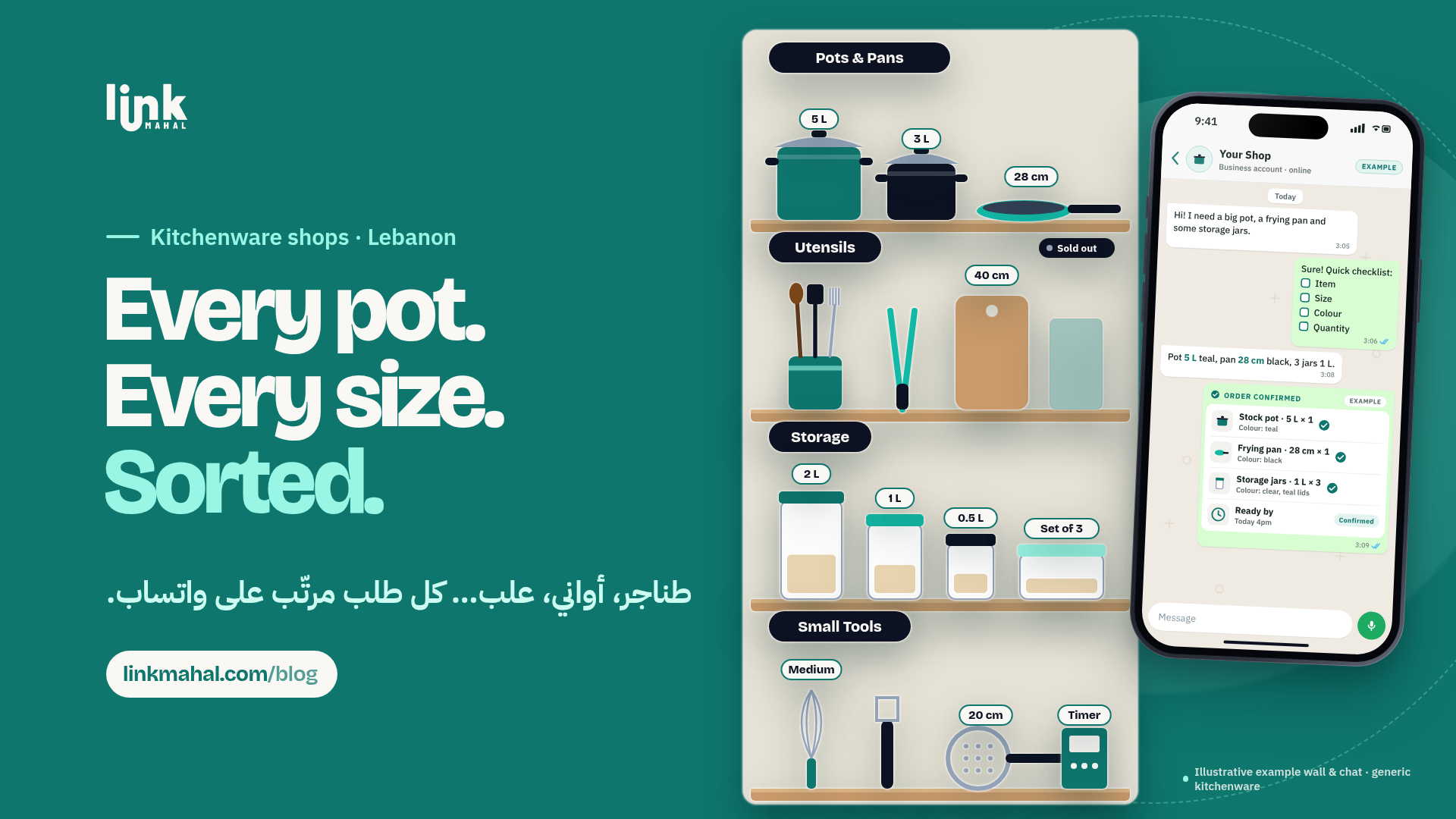
Group your cookware and utensils into a few clear categories so customers can browse by what they want to cook or store. Here are some practical categories to start with:
- Pots and Pans: Group by type: frying pans, saucepans, stockpots.
- Utensils: Spatulas, ladles and tongs.
- Storage Containers: Different sizes for meal prep and leftovers.
- Small Kitchen Tools: Whisks, peelers and measuring cups.
Keep category names short and plain, the way customers would describe the item in a message. "Frying Pans" is easier to scan than a long mixed list of everything in the shop.
Listing Dimensions or Capacity on Each Item
Always include the size or capacity on every cookware listing. A family that cooks for eight needs a different stockpot than someone cooking for two, and the numbers answer that question before the customer has to ask.
A hypothetical listing might look like this:
- Product Name: 5-liter Stockpot
- Dimensions: 30 cm diameter
- Material: Stainless steel
With size, capacity and material on the listing, customers order the right item the first time instead of messaging back and forth to check.
Marking Sold-Out Items
Mark sold-out items on your Link Mahal store as soon as they run out. A simple "Sold Out" label next to the item tells customers it is unavailable before they message you, so they can pick another size or colour that is in stock.
Creating a Short WhatsApp Order Checklist
A short order checklist helps you get every detail in the first message. It could include:
- Item: The product name, for example frying pan or storage container set.
- Size or Capacity: For instance 28 cm or 5 liters.
- Colour: If the item comes in more than one colour.
- Quantity: How many pieces are needed.
A hypothetical example: a customer sends "Frying pan, 28 cm, black, quantity 2." With the item, size, colour and quantity in one message, you can check stock before you confirm.
Confirming Orders Clearly
Once you receive an order, reply with one clear confirmation message that includes:
- The items ordered, with size or capacity and colour.
- The quantity of each item.
- A realistic ready-by time for the order.
A hypothetical confirmation might look like this: "Thank you for your order! 2 black frying pans (28 cm) and 1 stainless steel stockpot (5 liters). They will be ready by 3 PM today." Everything both of you need is in one place.
Set Up Cookware and Utensil Categories on Link Mahal
With Link Mahal, you can create a category for each type of cookware on your own online store, add size or capacity to every listing, mark sold-out items, and receive orders on WhatsApp with the item details already filled in. Start with the free Starter plan (up to 10 products) and move to Pro or Enterprise as your range grows. Create your store, see plans and pricing, or read more about how to sell online in Lebanon.