
Many Lebanese skincare shops already take orders on WhatsApp. To streamline the process, skincare shops can effectively organize products by skin type and routine steps, making order intake clearer and faster.
Why Organizing by Skin Type Matters
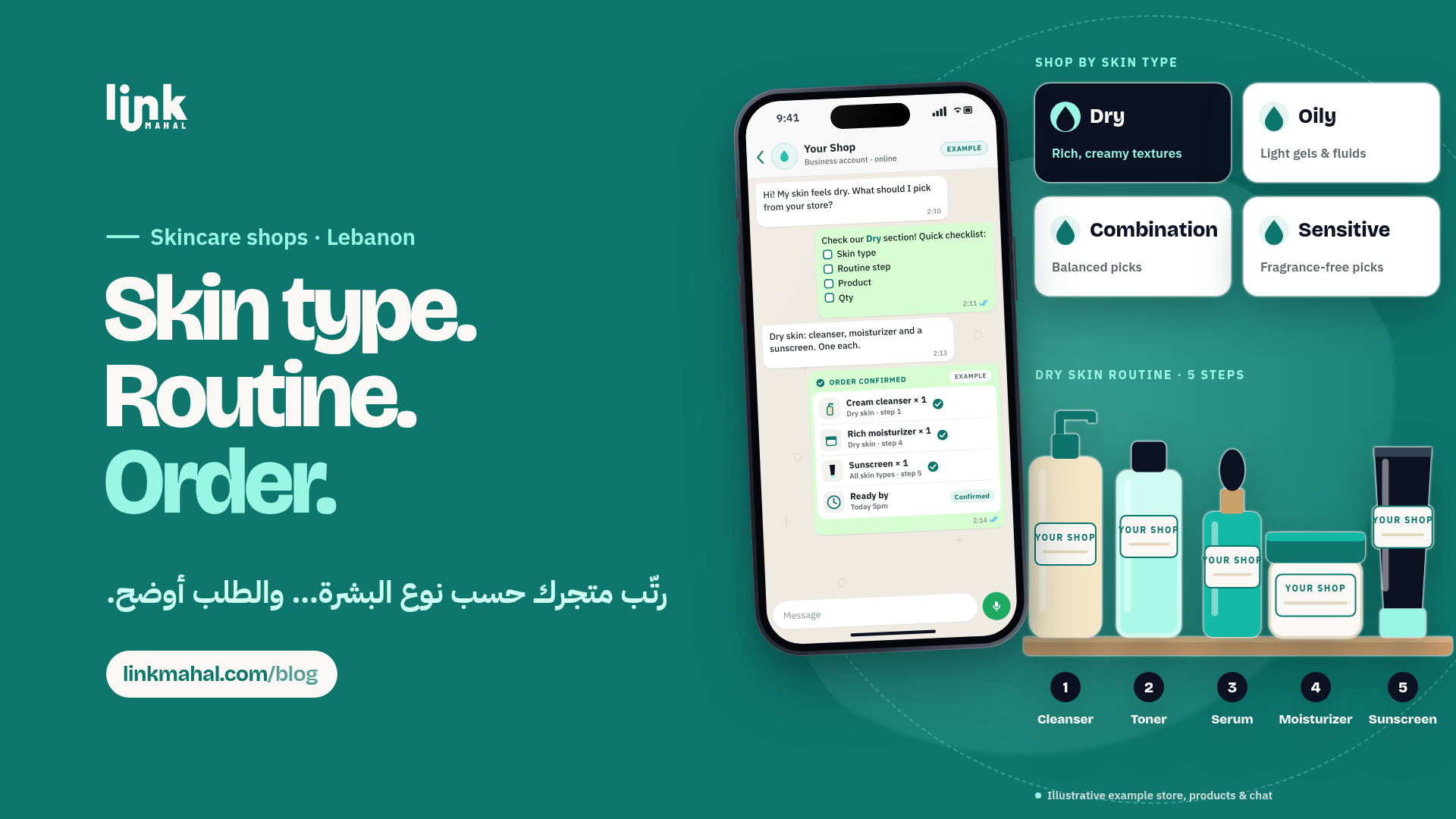
Grouping products by skin type—such as dry, oily, combination, and sensitive—helps customers quickly find what they need. This setup reduces confusion and improves the overall shopping experience. For example, a customer with oily skin can easily select from a curated list of cleansers, moisturizers, and serums designed specifically for their needs.
Structuring Your WhatsApp Store for Easy Navigation
To facilitate quick orders, set up a clear structure in your WhatsApp skincare shop. Consider using the following setup:
- Skin Type Categories: Create separate sections for dry, oily, combination, and sensitive skin.
- Routine Steps: Within each skin type category, further organize products by routine steps: cleanser, toner, serum, moisturizer, and sunscreen.
Writing Effective Product Descriptions
When listing products, keep descriptions concise and focused on essential information. Avoid ingredient claims; instead, include the size and brand. For instance (hypothetical listings):
- Hydrating Serum (50ml, Brand X) - A lightweight serum for dry skin.
- Oil-Free Moisturizer (100ml, Brand Y) - Ideal for oily skin, non-greasy finish.
Mark items that are currently in stock with a simple “In Stock” note next to the product name. This helps prevent confusion and ensures you can fulfill orders promptly.
Creating a WhatsApp Order Checklist
To streamline the order process, provide customers with a simple checklist they can use when placing orders. This checklist should include:
- Product Name
- Size
- Quantity
- Shade (if applicable)
For example, a hypothetical customer might send: “I’d like the Hydrating Serum (50ml), 2 bottles, no shade.” This minimizes the back-and-forth communication that can lead to errors.
Confirming Orders Clearly
Once you receive an order, confirm it in one clear message. Include the following:
- Product(s) ordered
- Quantity
- Total cost
- Estimated ready-by time
For example (hypothetical):
“Your order for 2 Hydrating Serums (50ml) is confirmed. Total: [your total]. Ready by tomorrow at 3 PM.”
This not only reassures customers but also simplifies your order management process.
Final Thoughts
Organizing your WhatsApp skincare shop by skin type and routine steps can significantly enhance the shopping experience for your customers. By crafting clear product descriptions and streamlining your order process, you can turn chaotic WhatsApp DMs into complete, accurate orders—without losing that personal touch. If you're ready to take your skincare shop online, create your Link Mahal store today at linkmahal.com/register.