
Stationery orders come down to details: the right notebook size, the right pen colour and the right quantity. When every WhatsApp chat follows the same simple steps, both you and your customers know exactly what is being ordered. This WhatsApp stationery shop Lebanon guide covers the practical basics: describing products clearly, turning school supply lists into item-by-item confirmations, flagging substitutes, and taking office orders with exact specs.
Describe Every Product the Same Way
Vague names lead to wrong items. Describe stationery the same way every time:
- Exact names: write "A4 spiral notebook, 96 sheets" rather than just "notebook".
- Sizes and counts: always include the size (A4, A5), the sheet count or the pack quantity.
- Colour and type: state the ink colour and whether a pen is ballpoint or gel, and give paper weight in gsm.
- Clear groups: sort products into notebooks, writing supplies, art supplies and office essentials so customers find items quickly.
Keep Each Order Chat to Three Steps
A simple, repeatable flow keeps chats short and clear:
- Greet and ask what they need: "Hello! What would you like to order today?"
- Gather the details: "Could you type or paste the full list, with sizes and quantities?"
- Confirm in one message: "Just to confirm: two A4 notebooks of 96 sheets, ten blue ballpoint pens and one 30 cm ruler, correct?"
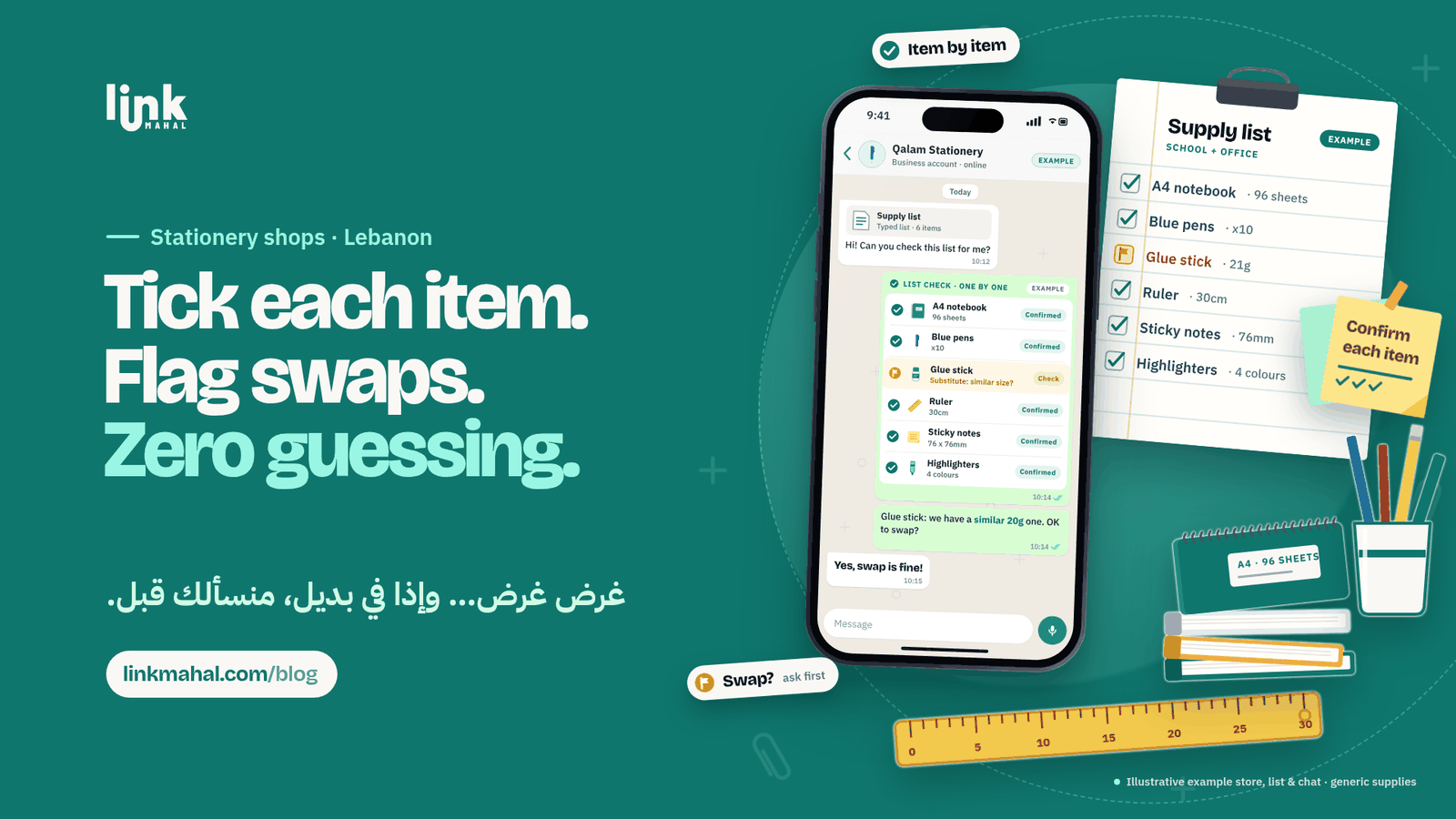
Turn a School Supply List Into a Clear Order
Parents often have a full supply list from their child's school and want to order everything in one chat:
- Ask for the list as text: ask the parent to type or paste the full list into the chat, along with the grade it is for.
- Confirm item by item: reply with each item, the type you have and the quantity, so the parent can approve everything in one message.
- Clarify vague items: if the list says something like "big notebook", ask for the size or sheet count instead of guessing.
Flag Substitutes and Wait for a Yes
Sometimes the exact item on a list is out of stock. Handle it openly:
- Suggest the closest match: "We don't have that exact glue stick, but we have a similar 20g one. Is that OK?"
- Wait for approval: only add a substitute to the order once the customer says yes.
- Keep stock counts updated: an up-to-date product list lets you answer in seconds instead of checking the shelves every time.
Take Office Supply Orders With Exact Specs
Offices usually order in larger quantities and need fewer questions but more precision:
- One contact per office: note who places and approves orders, so confirmations go to the right person.
- Exact specs: paper size and weight, printer toner and ink model numbers, and file or folder types prevent wrong items.
- Written summary: send one clean summary the office can check and approve internally before you prepare the order.
A Hypothetical Order Example
Imagine a small neighbourhood stationery shop. A parent types out a supply list in the chat. The exchange might look like this:
Parent: "Hi! Here's the list: two A4 notebooks, ten blue pens, a glue stick, a 30 cm ruler, sticky notes and highlighters."
Shop: "Thanks! Checking item by item: the notebooks, pens, ruler, sticky notes and highlighters are all in stock. That exact glue stick is out, but we have a similar 20g one. OK to swap?"
Parent: "Yes, the swap is fine!"
Shop: "Your order is confirmed: all six items, with the 20g glue stick."
Every item is checked, the swap is approved before anything changes, and the order is confirmed in one message.
Small Habits That Keep Orders Clear
- Use quick replies: keep your opening questions ready to send so every chat starts the same way.
- Use voice notes for complex answers: a short voice note can explain the difference between two similar items faster than a long text.
- Repeat the details back: read the size, type and quantity back to the customer before confirming.
For more on selling online, see Link Mahal's guide to selling online in Lebanon.
Ready to take stationery orders on WhatsApp with a proper online store? Register now on Link Mahal.