
Most Lebanese buyers already trust WhatsApp for their purchases, making it a prime platform to sell gift cards on WhatsApp. This method not only simplifies the buying process for your customers but also allows you to maintain a personal touch in your transactions.
Why Offer Gift Cards?
Gift cards are an excellent way to boost sales, especially for food businesses and small shops without a dedicated website. They allow customers to purchase gifts effortlessly. This can be particularly beneficial during festive seasons or special occasions.
Choosing Gift Card Values
Start by selecting a few fixed gift card values that suit your business. A small set of fixed options makes it easier for customers to decide.
Writing a Clear Gift Card Product Description
Your gift card product description should be straightforward. Include the following elements:
- Validity Period: Specify how long the gift card is valid (e.g., six months, hypothetical from the purchase date).
- Usage: Clearly state what the gift card can be used for, whether it's specific items, the entire menu, or certain services.
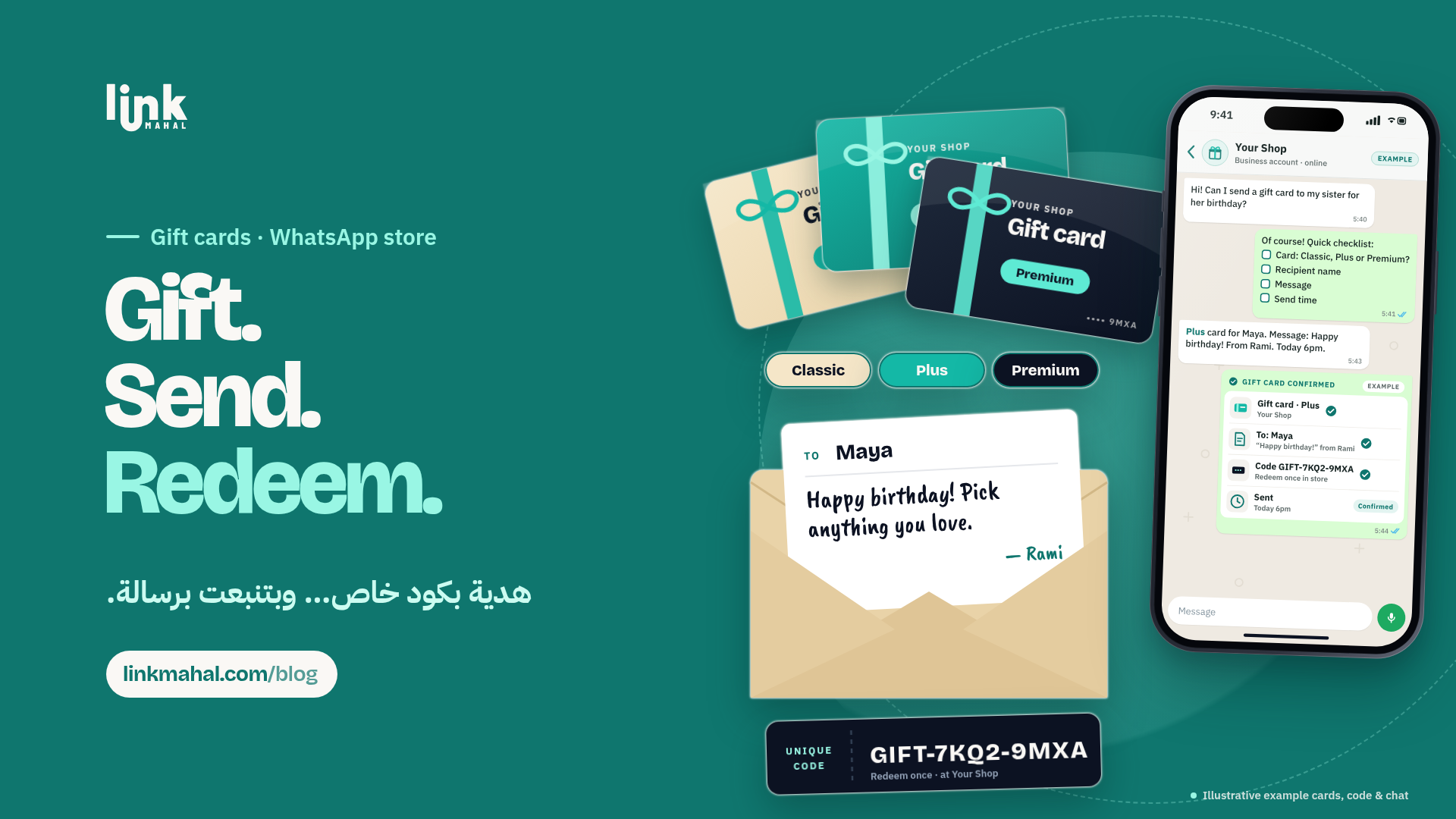
- Personal Message: Allow customers to include a personal message when sending the gift card to the recipient.
For example, a hypothetical description could read: "This gift card is valid for six months and can be used for any item on our menu. Add a personal message to make your gift extra special!"
Taking Gift Card Orders on WhatsApp
When a customer expresses interest in purchasing a gift card, handle the order directly through WhatsApp. Request the following information:
- Recipient's name
- Gift card value
- Personal message (if applicable)
By gathering all necessary details in one message, you minimize the risk of confusion and lost information.
Sending Unique Gift Card Codes
Once you have confirmed the order, generate a unique gift card code for the customer. This code should be simple and easy to share. For instance, you could structure it as "GIFT-12345." Send this code along with a confirmation message to the buyer, ensuring they have all the details about the gift card, including how to redeem it.
Keeping a Simple Redemption Log
To manage gift card redemptions smoothly, maintain a simple log that tracks:
- Gift card codes issued
- Recipient names
- Redemption status (used or unused)
This log can be maintained in a spreadsheet or even a dedicated WhatsApp chat. It helps you keep track of which gift cards have been redeemed, reducing the risk of errors when customers place orders using their gift cards.
Redeeming Gift Card Codes
When a recipient is ready to redeem their gift card, simply ask for the unique code during the order process. Confirm the code against your log to ensure it is valid and hasn’t been previously used. This step is crucial for preventing fraud and ensuring a smooth transaction.
Once confirmed, proceed with their order as usual. This system keeps your operations organized, making the redemption process quick and efficient.
Enhancing the Customer Experience
By selling gift cards through WhatsApp, you enhance the shopping experience for your customers while reducing the chaos that often comes with managing multiple orders. Gift cards offer a personal touch in gifting, allowing customers to send something special without the hassle of choosing specific items.
In Lebanon, where social interactions are key, leveraging WhatsApp for such transactions simplifies the order process, and a personal touch goes a long way when every detail is managed smoothly.
To start selling gift cards on WhatsApp, consider setting up your own store with Link Mahal. With a user-friendly interface and support for WhatsApp integration, it's easier than ever to manage your online sales. Visit linkmahal.com/register to create your store today!