
Lebanese baby essentials shops get clearer WhatsApp orders when every product is grouped by age stage. Parents find the right size faster, and you spend less time asking how old the baby is.
Why Organizing by Age Matters
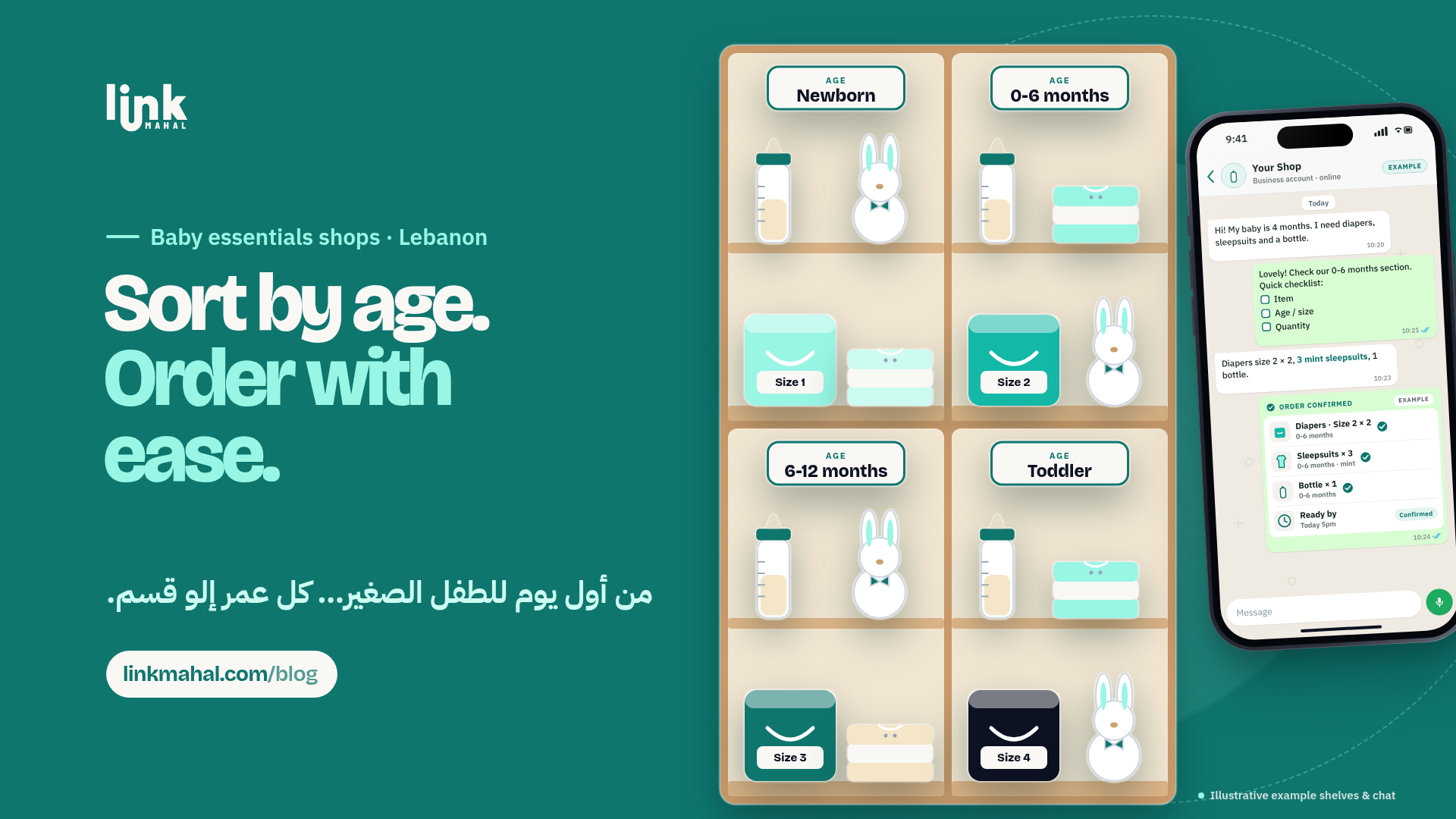
Grouping baby essentials like diapers, bottles, clothes, and care items by age stage (newborn, 0-6 months, 6-12 months, and toddler) helps parents navigate their purchases efficiently. New parents often feel overwhelmed with choices, and having clearly defined categories reduces decision fatigue. It also cuts down on wrong-size orders, because the age stage is part of the listing before anyone sends a message.
How to Group Products by Age Stage
When setting up your WhatsApp baby shop, consider these categories for your products:
- Newborn: Items suitable for babies from birth to 6 weeks, including swaddles, pacifiers, and newborn diapers.
- 0-6 Months: Essentials like bottles, breast pumps, and washable diapers that cater to infants up to 6 months old.
- 6-12 Months: Products such as teething toys, baby food, and clothing for babies starting to crawl.
- Toddler: Items for children aged 1-3 years, including training pants, toddler utensils, and clothes.
By categorizing your inventory in these age ranges, customers can quickly find what they need without scrolling through irrelevant items.
Keeping Track of Stock Levels
It’s essential to maintain accurate stock levels for each age category. Regularly update your WhatsApp listings to reflect what is currently in stock. Mark sold-out items clearly on your store so parents see it before they message. When someone asks about an item you don’t have in their age stage, reply early and suggest the closest option that fits.
Creating a WhatsApp Order Checklist
A simple checklist can streamline the ordering process. When a customer reaches out via WhatsApp, you can ask them to provide the following details:
- Item name
- Age or size
- Quantity
A hypothetical example: a customer messages, "I’d like 3 packs of newborn diapers and one 0-6 months sleepsuit." With the item, age stage and quantity in one message, you can check stock before you confirm.
Confirming Orders Effectively
Once you receive the order details, confirm it in one clear message. Your confirmation should include:
- A summary of the items ordered
- Total quantity
- A ready-by time
A hypothetical reply: "Thank you for your order! You have 3 packs of newborn diapers and one 0-6 months sleepsuit. Your order will be ready by tomorrow at 3 PM." One message with the items, age stage, quantity and ready-by time leaves nothing to guess.
Set Up Age-Stage Categories on Link Mahal
With Link Mahal, you can create a category for each age stage on your own online store, list every item with its age range and size, and receive orders on WhatsApp with the item and quantity already filled in. Start with the free Starter plan (up to 10 products) and move to Pro or Enterprise when your range grows.